
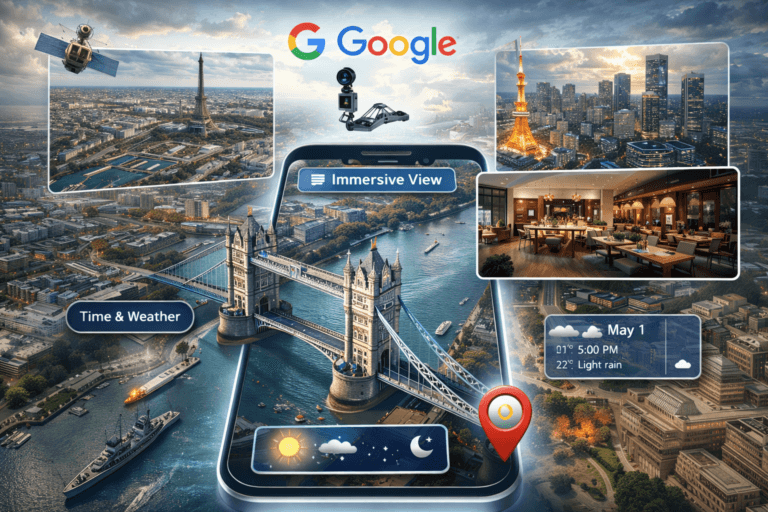
Washington, DC – Google has added an advanced feature to its Google Maps app called Immersive View, a move described as revolutionary in the field of digital mapping. This feature allows users to explore cities, landmarks, and restaurants in ultra-high-definition 3D, simulating the experience of flying over a location and seeing it as if the user were physically present. The new feature aims to help users plan trips and visits in advance by providing a realistic visualization of locations and identifying the best times to visit based on expected weather conditions and crowd levels.
AI-powered technology
According to a report published on the Google DeepMind Blog, the “Immersive View” feature relies on combining billions of images captured by satellites and street-level cameras, using advanced artificial intelligence models to create accurate 3D models of cities and landmarks. This technology transforms massive amounts of visual data into interactive cinematic scenes, allowing users to freely navigate, rotate the scene, and zoom in on details, accurately reflecting the reality of the location.
Virtual tours inside buildings and restaurants
The feature is not limited to viewing streets and buildings from the outside, but in some locations it extends to virtual entry to restaurants, museums and public places, where the user can preview the interior design before making a visit decision.
The feature also provides an interactive timeline that displays: the expected weather conditions, peak times, traffic volume, and what the place looks like at different times of the day (day and night), which makes the “immersive view” more like a smart assistant for navigation and planning than just a traditional map tool.
How to use the Immersive View feature
To use the “Immersive View” feature on your phone, Google recommends following these steps:
Open the Google Maps app and search for a major city such as London, Paris, or Tokyo (currently).
Click on the website image that appears at the bottom of the screen.
Select the Immersive View button if available.
Use touch to move, rotate, and hover over buildings.
Click on the Time & Weather option to view time and weather changes.
A quantum leap in the future of digital maps
Technology experts believe that the “immersive view” feature represents a major shift in how users interact with maps, particularly in the fields of tourism, travel, and urban planning. It provides users with a realistic exploration experience and reduces the element of surprise when visiting new places. Google is expected to expand the number of cities supported by this feature in the coming period, as part of its strategy to integrate artificial intelligence into users’ everyday services.